
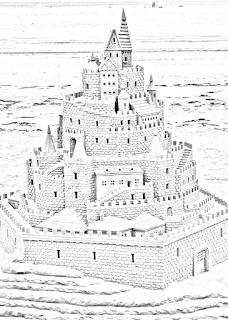
CONVERT COLORED IMAGE INTO SKETCH
 >>>>
>>>>


Source Code:-
01 02 03 04 05 06 07 08 09 10 11 12 13 14 15 16 17 18 19 | # Required Module:- pip install sketchify# import the sketch modulefrom sketchify import sketch# Give the path of original image with file Name and Extensioncolored_image_path = "D:/Image/FORT.jpg"# Give the path for saving sketch without file Name and Extensionsketch_saving_path = 'D:/Image/'# Give a Name to sketch Imagesketch_name = 'sketch.jpg'# Now call the above variables in Below Methodsketch.normalsketch(colored_image_path, sketch_saving_path, sketch_name)# When your Image convert this message will Printprint("Your Image Converted Successfully!") |
# Required Module:- pip install sketchify

# import the sketch module
from sketchify import sketch

# Give the path of original image with file Name and Extension
colored_image_path = "D:/Image/FORT.jpg"

# Give the path for saving sketch without file Name and Extension
sketch_saving_path = 'D:/Image/'

# Give a Name to sketch Image
sketch_name = 'sketch.jpg'

# Now call the above variables in Below Method
sketch.normalsketch(colored_image_path, sketch_saving_path, sketch_name)

# When your Image convert this message will Print
print("Your Image Converted Successfully!")


0 Comments